How to connect SimplePDF with Activepieces to automate your PDF forms processing
With email notifications in the paid offering of SimplePDF, you can already get notified everytime your customers submit PDF forms.
But what if you want to connect SimplePDF to GoogleSheets or Discord or Pipedrive or [insert your favorite app]?
You can do that thanks to the powerful webhooks feature connected to Activepieces.
Activepieces?
Activepieces is a rapidly growing open-source Zapier alternative that allows you to connect plenty of applications using a no-code approach.
Just like that, by connecting SimplePDF to Activepieces, you can unlock a world of possibilities.
An example with Google Sheets and Discord
We like examples at SimplePDF, so for this tutorial, we'll be walking you through connecting SimplePDF with Activepieces to:
- Trigger a flow on Activepieces every time there's a new PDF submission in your portal, either by using form links or embedding SimplePDF in your website
- Add a new row in a Google Sheet containing some informations about the submission: the document name, the time of the submission and of course, the link to see the submission
- Send a message on a Discord channel
The final result
No need to scroll to the bottom of the article to see how it looks 👀 👇
SimplePDF form, Google Sheet and Discord channel visible in the video
Step-by-step guide to set it up
1. Setting up the Activepieces flow
- Log into your Activepieces account (or create one).
- Create a new flow.
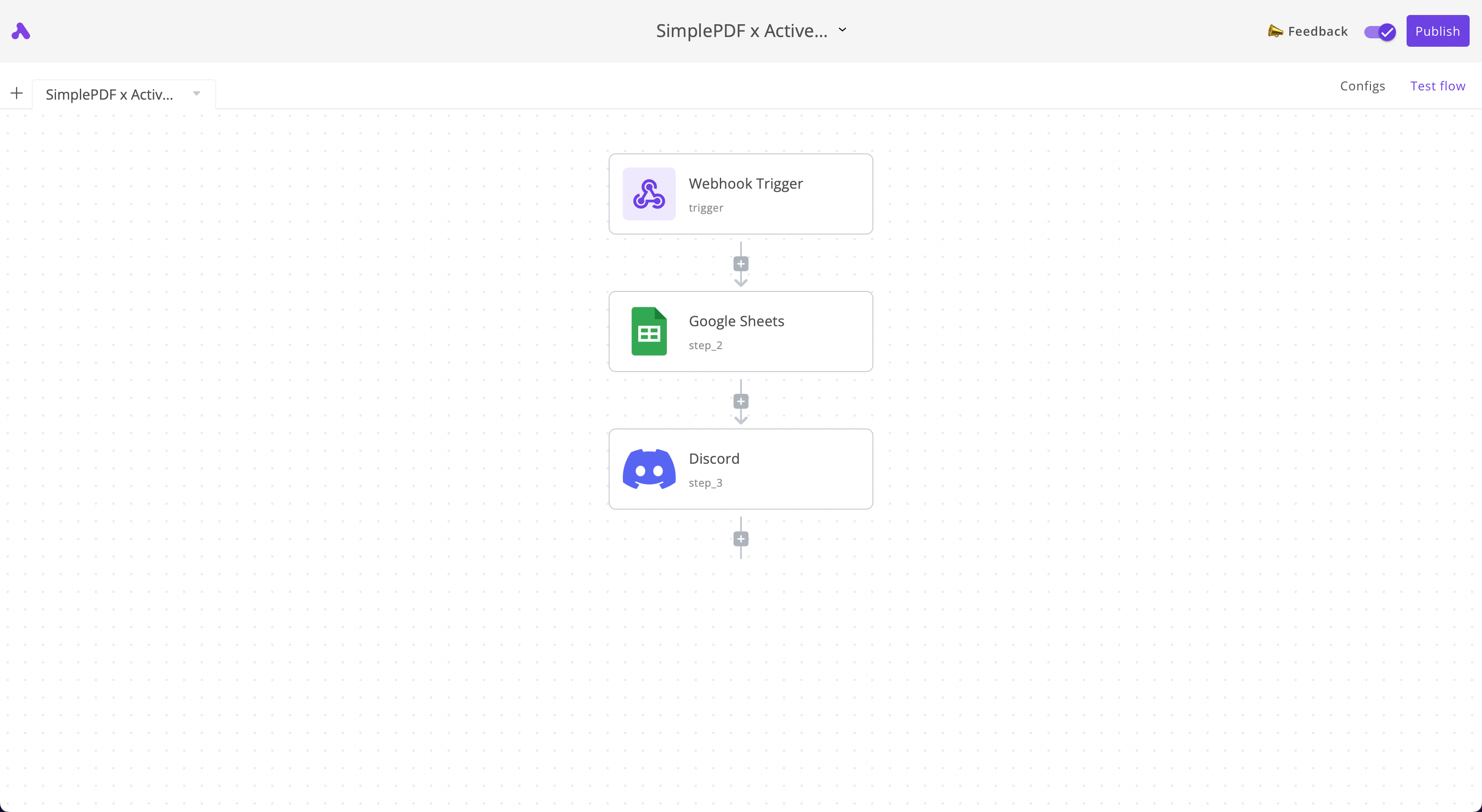
- Create three steps in that order:
- Webhook trigger: it will be receiving the incoming webhook notifications from SimplePDF
- Google Sheets: a new row will be added for each new PDF submission
- Discord: we will get a notification in Discord for each new PDF submission
Your flow should looks as follows:
2. Configuring the 1st step of the flow: Webhook trigger
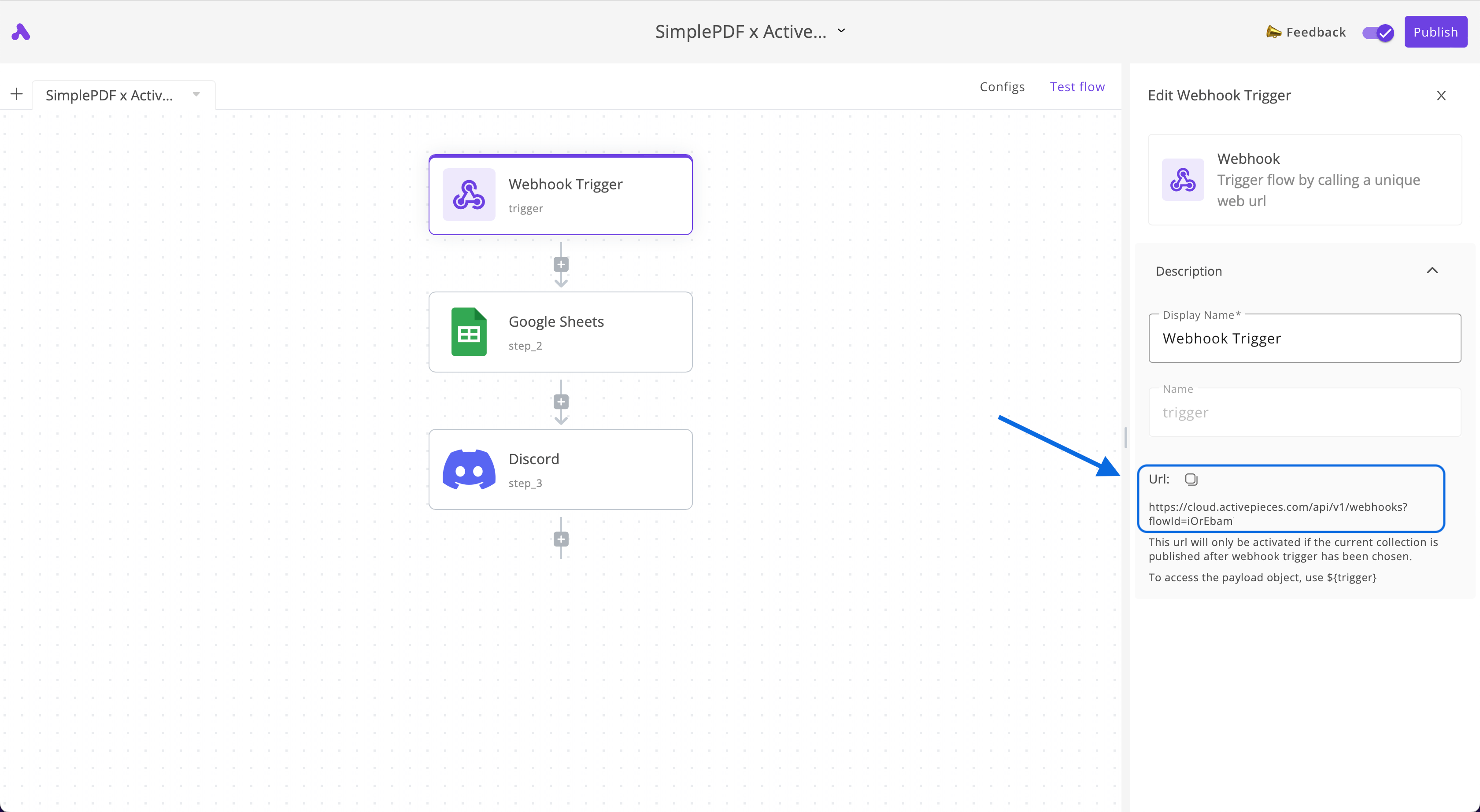
- Click on the Webhook trigger and copy the webhook URL
- Add the webhook URL to your webhook configuration in your account
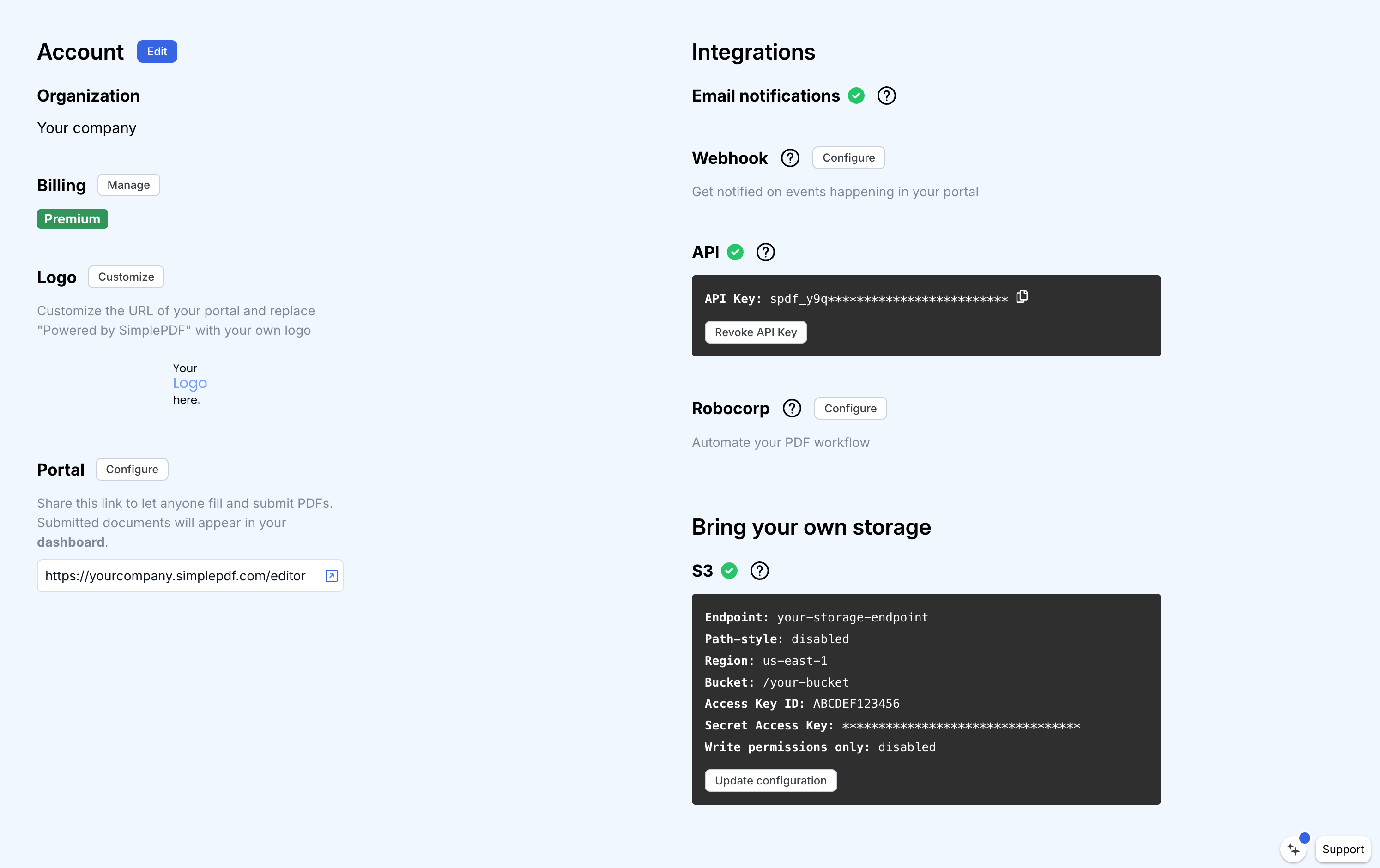
You can follow this guide: configure Webhooks to get notified of new PDF form submissions for more details on how to configure Webhooks in SimplePDF.
3. Configuring the 2nd step of the flow: Google Sheets
- Create a Google sheet where you want the submissions to appear
We created this Google Sheet for this example
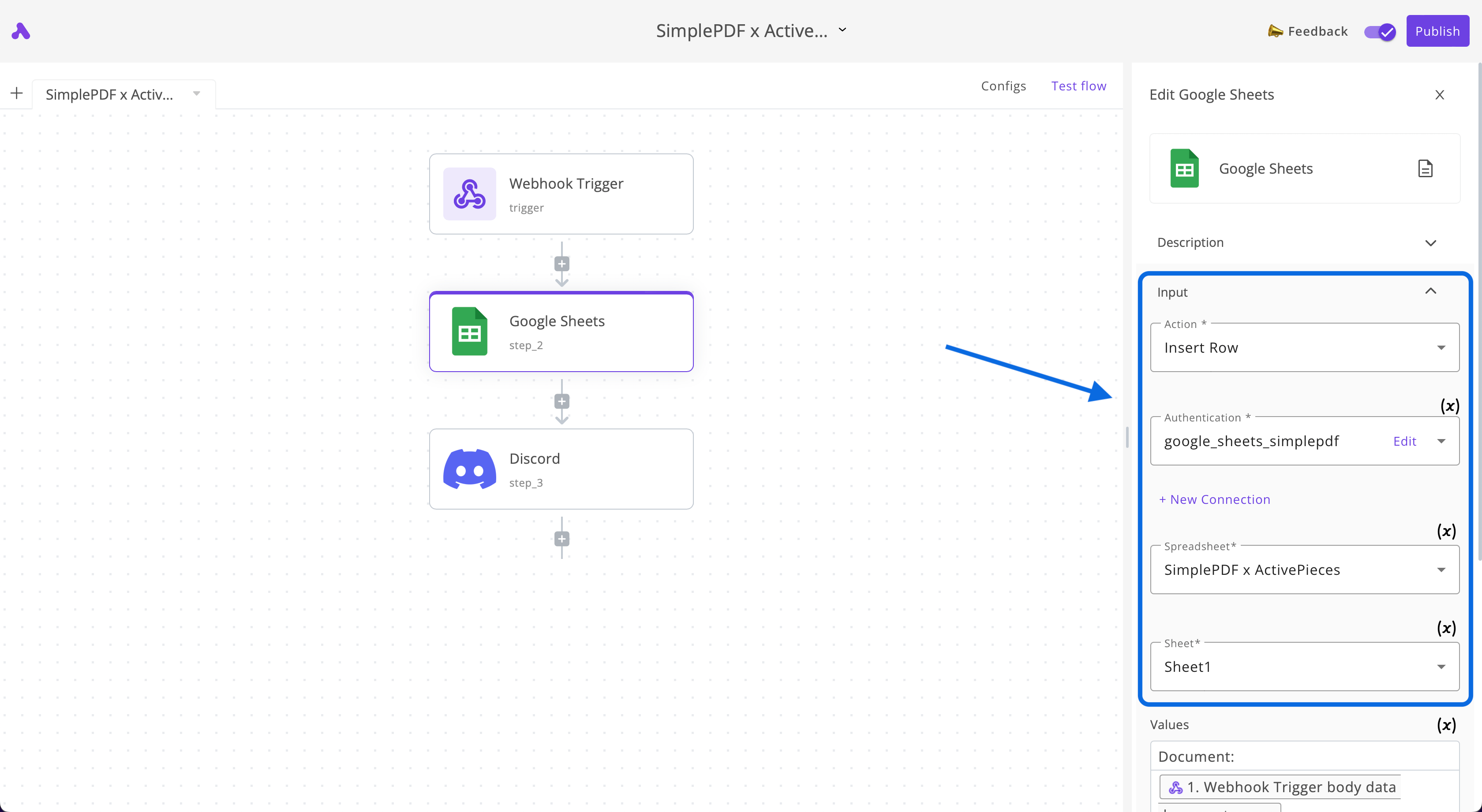
- Select the action
Insert Row, connect to your Google Sheets account and select the Sheet you want to add the submissions to:
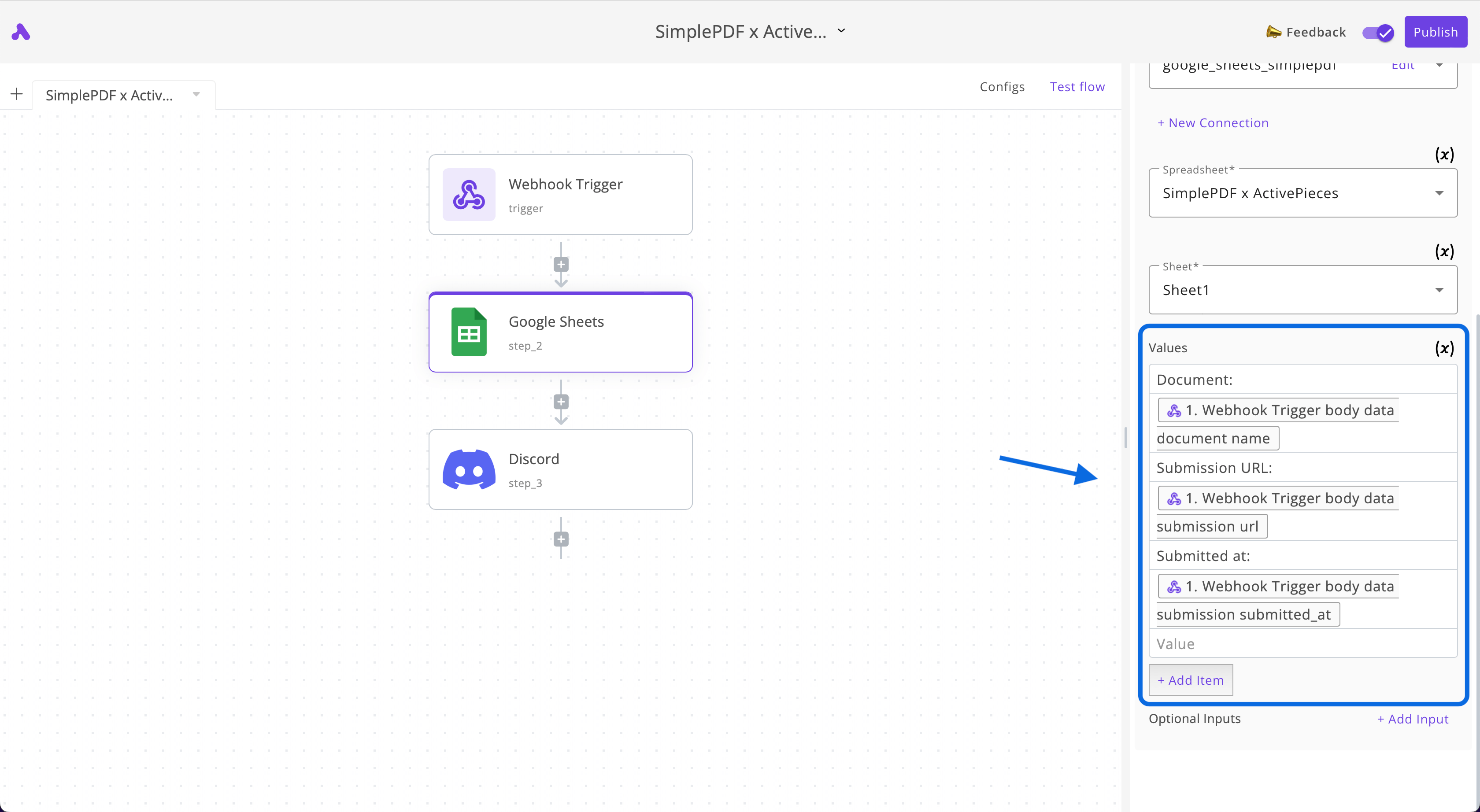
- In the Values section of the Google Sheet piece, enter the following values:
One line per value
Document:
${trigger.body.data.document.name}
Submission URL:
${trigger.body.data.submission.url}
Submitted at:
${trigger.body.data.submission.submitted_at}
Use the Data to insert > Webhook Trigger button for the values starting with $
If you followed our example, your values should look as follows:
4. Configuring the 3rd step of the flow: Discord
- Create a webhook URL for the Discord channel where you want to receive notifications
Follow this guide by Discord to set up webhooks for your preferred channel
-
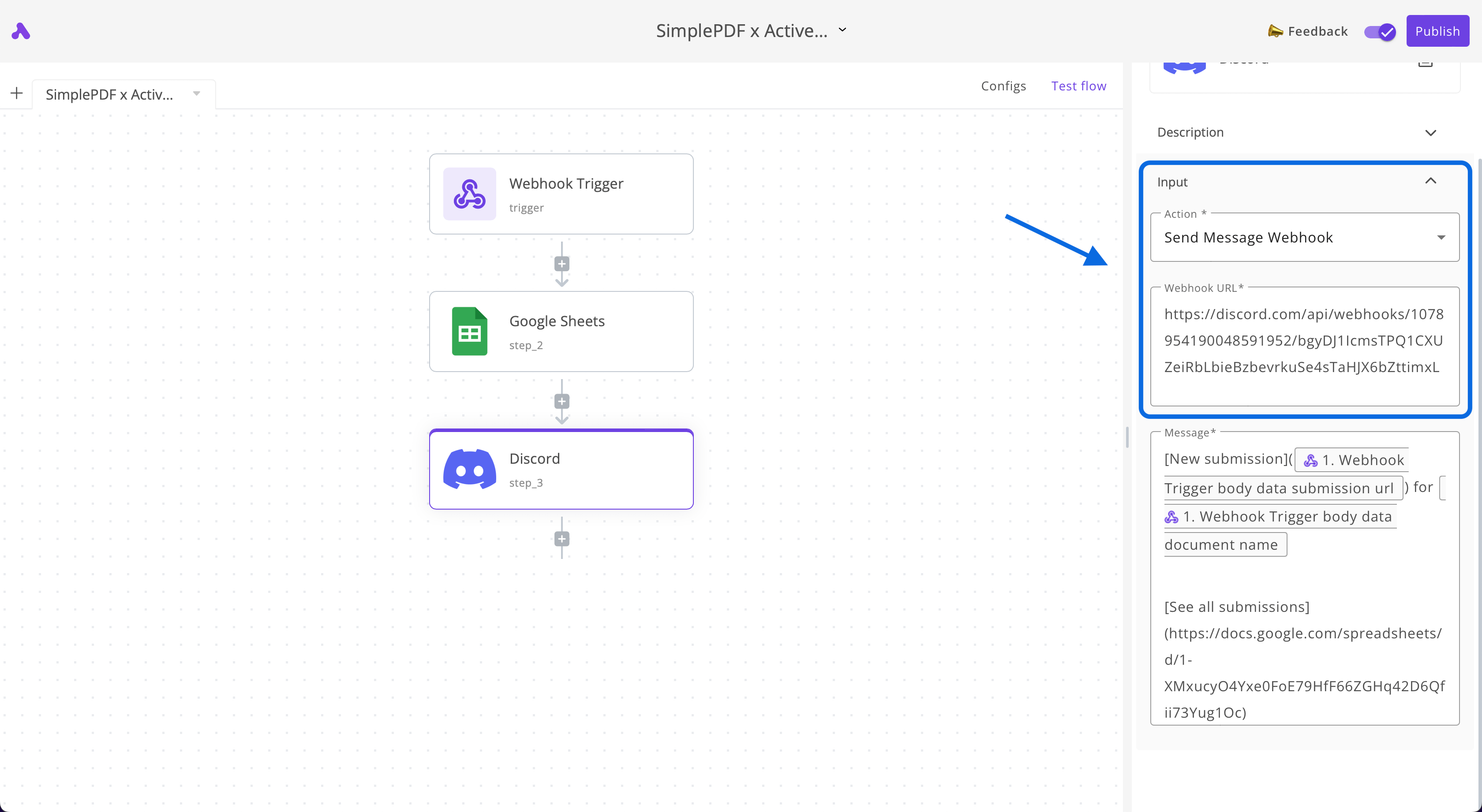
Select the action
Send Message Webhook -
Paste the webhook URL that you retrieved in the first step
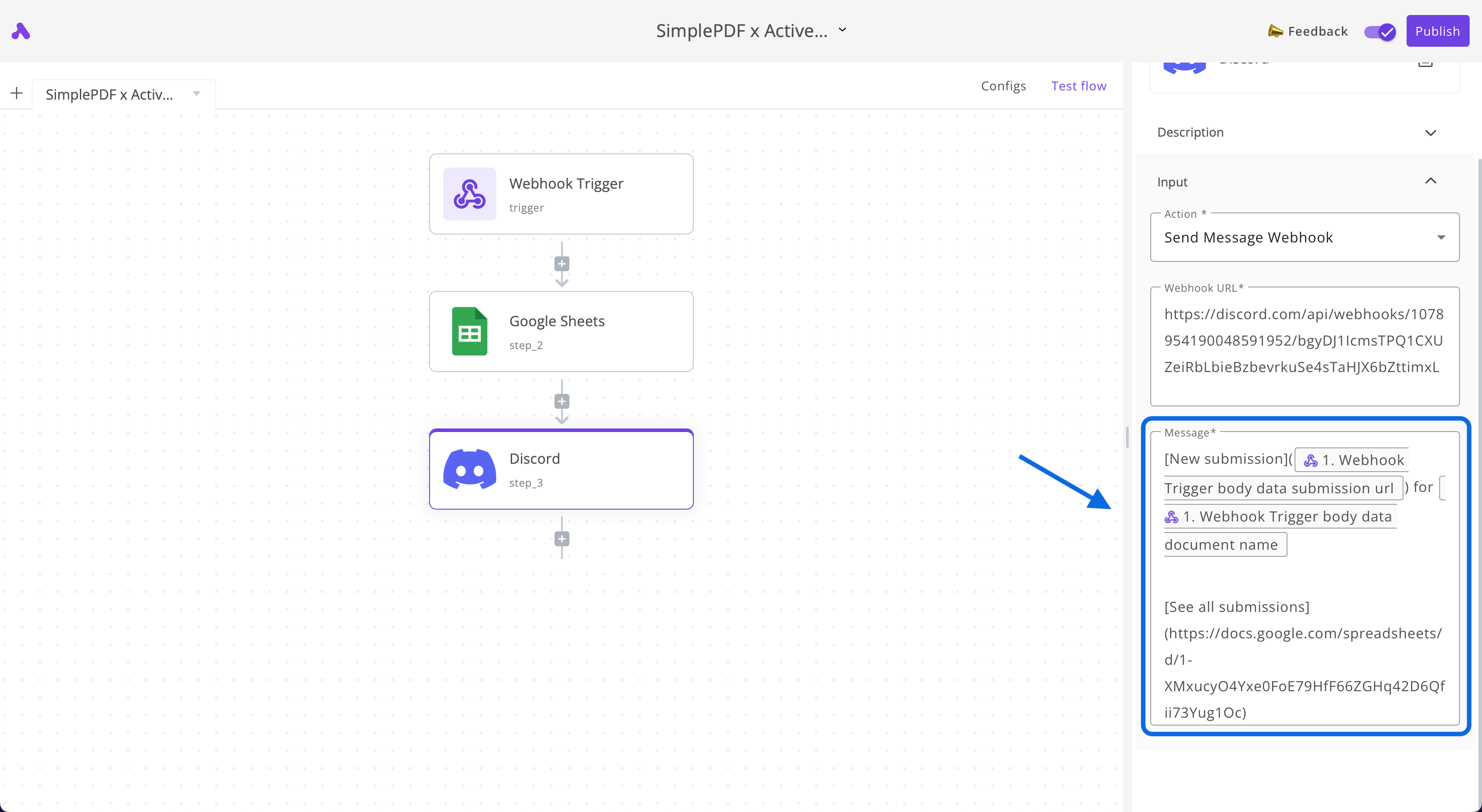
- In the Message section of the Discord piece, enter the following:
[New submission](${trigger.body.data.submission.url}) for ${trigger.body.data.document.name}

[See all submissions](LINK_TO_YOUR_GOOGLE_SHEET)
Replace LINK_TO_YOUR_GOOGLE_SHEET with your own and use the Data to insert > Webhook Trigger button for the values starting with $
Conclusion
That's it! We now automatically get notified of any new SimplePDF submission on Discord and a new row with information about this submission is added in Google Sheets.
Try it yourself
- Submit this form belonging to DunderMifflin (neither the form nor the company are a real one, so you don't risk messing anything up!)
- Join our Discord and see your submission appear
- Have a look at the Google Sheets that lists all submissions (including your own if you submitted it!)
If you have any questions, feel free to reach out to support@simplepdf.com