Da PDF a modulo online in pochi secondi
Modulo attivo
Pronto per essere compilato. Ecco come funziona
Tutti i tuoi moduli, un'unica dashboard
Traccia ogni documento, classifica per categoria e consulta gli invii a colpo d'occhio.
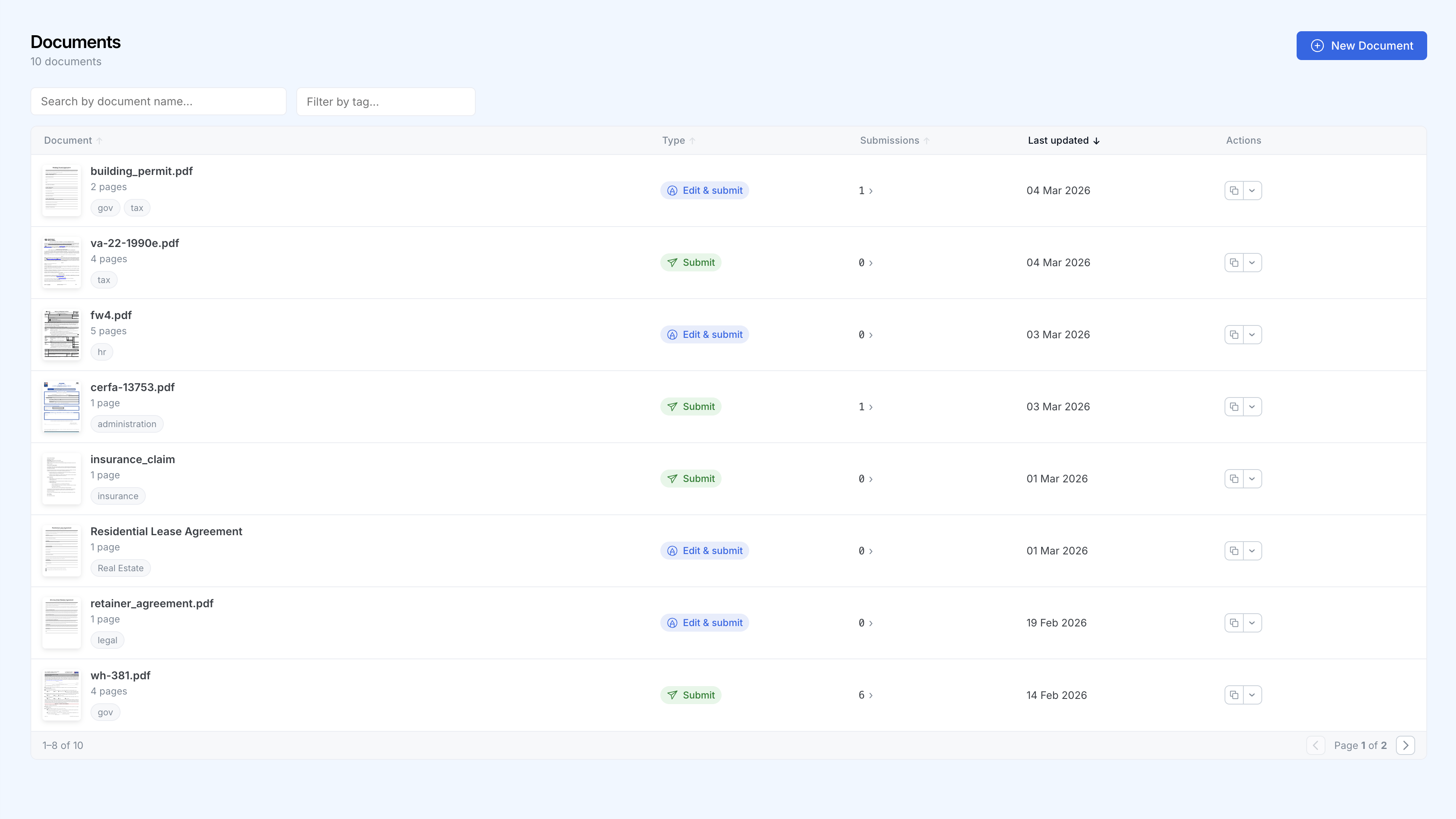
Ecco come funziona
Carica il tuo PDF
Trascina e rilascia qualsiasi PDF. SimplePDF riconosce subito i campi esistenti e rileva quelli mancanti con un solo clic, oppure aggiungili tu in pochi secondi.
Condividi il link
Ogni modulo ha un URL unico. Condividilo via e-mail, incorporalo nel tuo sito web o aggiungilo alla tua app.
Raccogli gli invii
Gli invii appaiono nella tua dashboard in tempo reale. Ricevi notifiche via e-mail o webhook e invia i dati ai tuoi strumenti preferiti.
Perché i team scelgono SimplePDF
Nessuna programmazione necessaria
Chiunque nel tuo team può creare e gestire moduli senza scrivere una sola riga di codice.
Notifiche in tempo reale
Ricevi una notifica via e-mail o tramite webhooks ogni volta che un modulo viene inviato.
Privacy al primo posto
I documenti vengono modificati nel browser, non su un server. Al momento dell'invio, con Bring Your Own Storage (S3, Azure Blob Storage e SharePoint), i file completati vanno direttamente nel tuo storage anziché nel nostro. Conforme al GDPR e compatibile HIPAA per architettura.
Integrazioni
Collega gli invii ai tuoi strumenti esistenti tramite webhooks, oppure utilizza il tuo storage S3, Azure o SharePoint.
Fidato da oltre 100.000 persone in tutto il mondo
“INCREDIBILMENTE utile e interfaccia semplice, grazie mille.”
“GRAZIE PER AVER CREATO QUESTO STRUMENTO, INCREDIBILE.”
“Sei un salvatore, questo merita di essere ovunque.”
“Fantastico e semplice da usare.”
“Mi ha aiutato molto ed è più veloce della maggior parte degli altri siti.”
“Aggiungo il tuo sito ai preferiti per un uso futuro.”