De PDF a formulario web en segundos
Formulario activo
Listo para rellenar. Cómo funciona
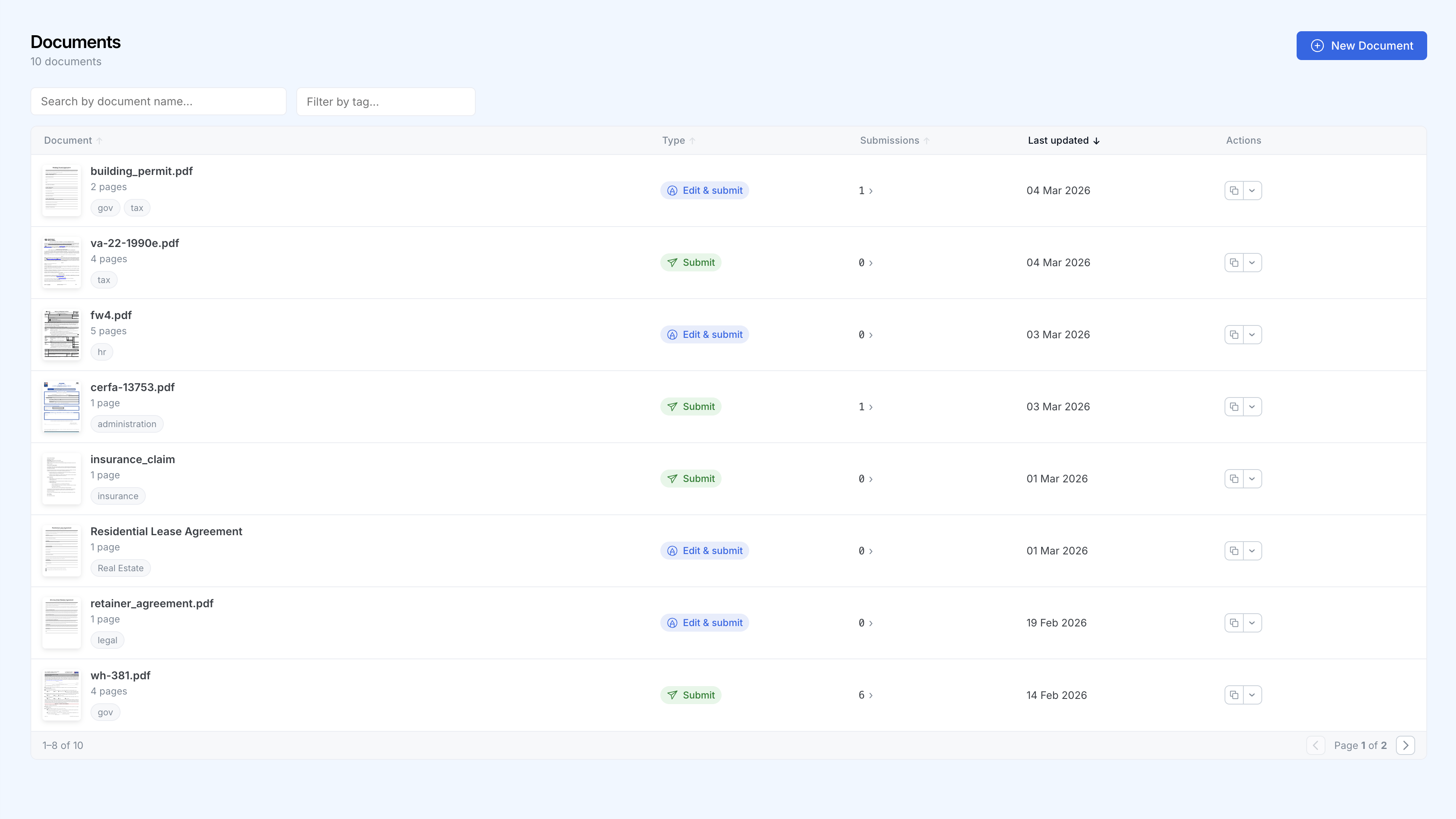
Todos tus formularios en un solo panel
Rastrea cada documento, clasifica por categoría y consulta los envíos de un vistazo.
Cómo funciona
Sube tu PDF
Arrastra y suelta cualquier PDF. SimplePDF reconoce al instante los campos existentes y detecta los que faltan con un solo clic, o agrega los tuyos en segundos.
Comparte el enlace
Cada formulario tiene una URL única. Compártela por correo electrónico, incrústala en tu sitio web o agrégala a tu aplicación.
Recopila los envíos
Los envíos aparecen en tu panel en tiempo real. Recibe notificaciones por correo electrónico o webhook, y envía datos a tus herramientas favoritas.
Por qué los equipos eligen SimplePDF
Sin necesidad de programar
Cualquier persona de tu equipo puede crear y gestionar formularios sin escribir una sola línea de código.
Notificaciones en tiempo real
Recibe notificaciones por correo electrónico o webhooks cada vez que se envía un formulario.
Privacidad ante todo
Los documentos se editan en el navegador, no en un servidor. Al enviarlos, con Bring Your Own Storage (S3, Azure Blob Storage y SharePoint), los archivos completados van directamente a tu propio almacenamiento en lugar del nuestro. Conforme con el RGPD y compatible con HIPAA por arquitectura.
Integraciones
Conecta los envíos a tus herramientas existentes mediante webhooks, o utiliza tu propio almacenamiento S3, Azure o SharePoint.
Confiado por más de 100 000 personas en todo el mundo
“INCREÍBLEMENTE útil y con una interfaz simple, muchas gracias.”
“GRACIAS POR HACER ESTA HERRAMIENTA, SANTO CIELO.”
“Eres un salvavidas, esto merece estar en todas partes.”
“Fantástico y fácil de usar.”
“Me ha ayudado mucho y es más rápido que la mayoría de los otros sitios.”
“Marcando tu sitio para uso futuro.”