Von PDF zum Online-Formular in Sekunden
Live-Formular
Bereit zum Ausfüllen. So funktioniert es
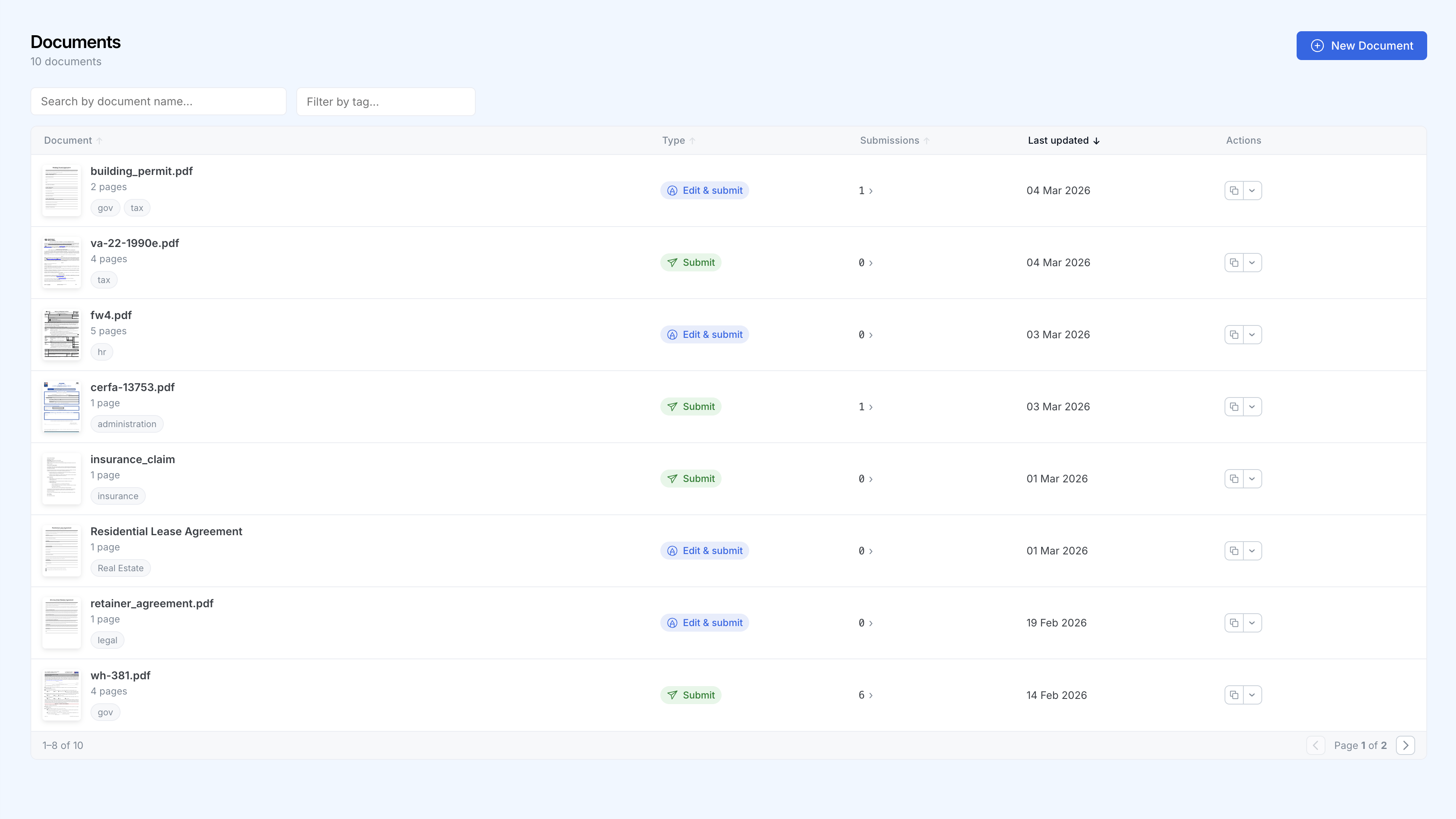
Alle Formulare, ein Dashboard
Verfolgen Sie jedes Dokument, kategorisieren Sie es und sehen Sie Übermittlungen auf einen Blick.
So funktioniert es
PDF hochladen
Ziehen Sie ein beliebiges PDF per Drag & Drop. SimplePDF übernimmt vorhandene Felder sofort und erkennt fehlende mit einem Klick, oder fügen Sie Ihre eigenen in Sekunden hinzu.
Link teilen
Jedes Formular erhält eine eindeutige URL. Teilen Sie sie per E-Mail, betten Sie sie in Ihre Website ein oder fügen Sie sie Ihrer App hinzu.
Übermittlungen sammeln
Übermittlungen erscheinen in Echtzeit in Ihrem Dashboard. Lassen Sie sich per E-Mail oder Webhook benachrichtigen und senden Sie Daten an Ihre bevorzugten Tools.
Warum Teams SimplePDF wählen
Kein Programmieren erforderlich
Jedes Teammitglied kann Formulare erstellen und verwalten, ohne eine einzige Zeile Code zu schreiben.
Echtzeit-Benachrichtigungen
Lassen Sie sich per E-Mail oder Webhooks benachrichtigen, sobald ein Formular übermittelt wird.
Datenschutz an erster Stelle
Dokumente werden im Browser bearbeitet, nicht auf einem Server. Beim Absenden gehen fertiggestellte Dateien mit Bring Your Own Storage (S3, Azure Blob Storage und SharePoint) direkt in Ihren eigenen Speicher statt in unseren. DSGVO-konform und HIPAA-freundlich durch die Architektur.
Integrationen
Verbinden Sie Übermittlungen über Webhooks mit Ihren bestehenden Tools oder nutzen Sie Ihren eigenen S3-, Azure- oder SharePoint-Speicher.
Vertraut von über 100.000 Menschen weltweit
„UNGEMEIN hilfreich und einfache Benutzeroberfläche, vielen Dank.“
„DANKE, DASS SIE DIESES WERKZEUG GEMACHT HABEN, HEILIGE KUH.“
„Du bist ein Lebensretter, das verdient es, überall zu sein.“
„Fantastisch und einfach zu bedienen.“
„Es hat mir sehr geholfen und ist schneller als die meisten anderen Seiten.“
„Ich setze Ihre Seite als Lesezeichen für die zukünftige Nutzung.“