How to cancel your SimplePDF subscription
You can cancel your subscription yourself, at any time, without contacting support. The fastest way is to open your billing settings directly, or step by step:
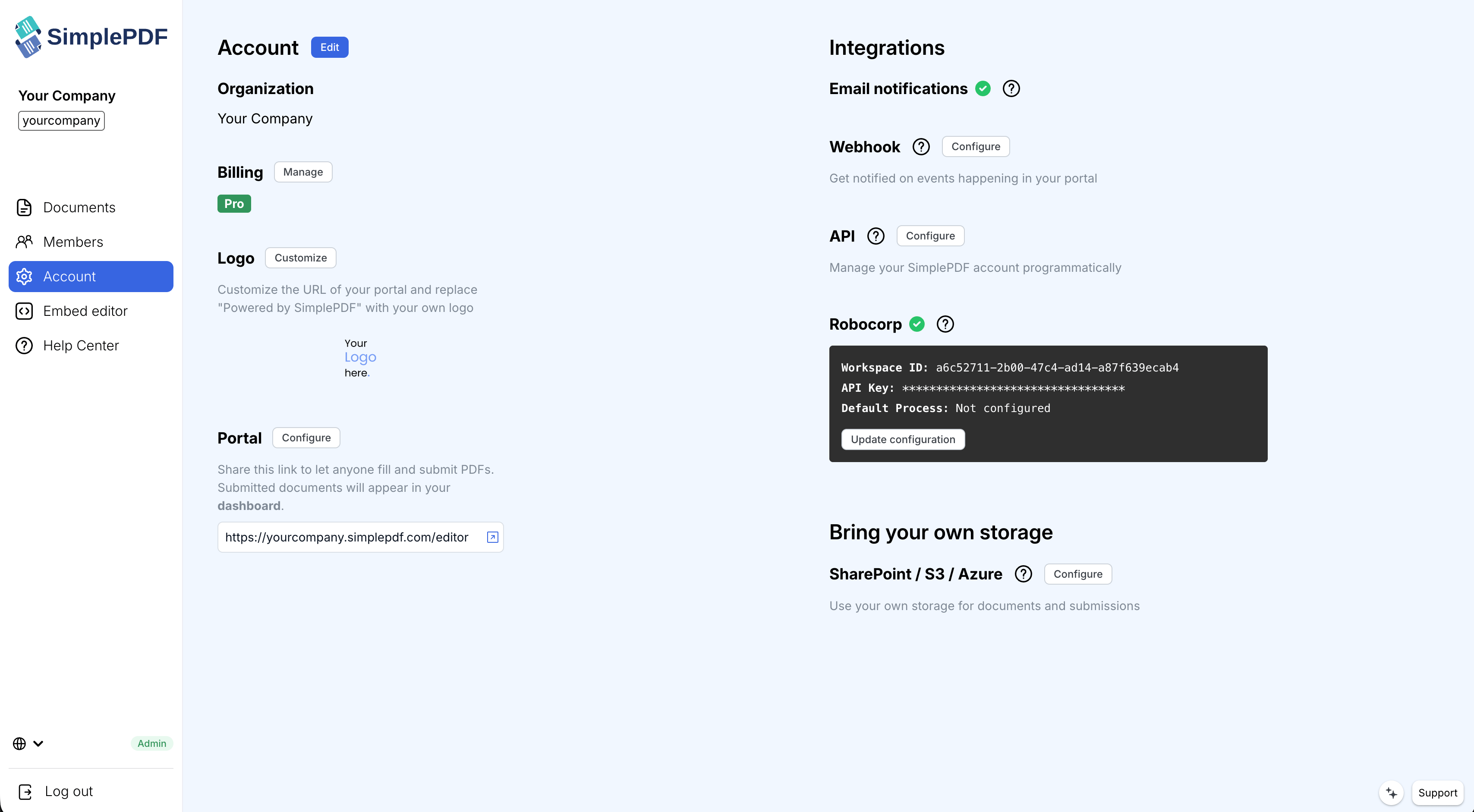
- Log in to your SimplePDF dashboard
- Open Account in the sidebar
- In the Billing section, click Manage
- Click Cancel subscription, tell us why you're leaving - it genuinely helps us improve - and confirm
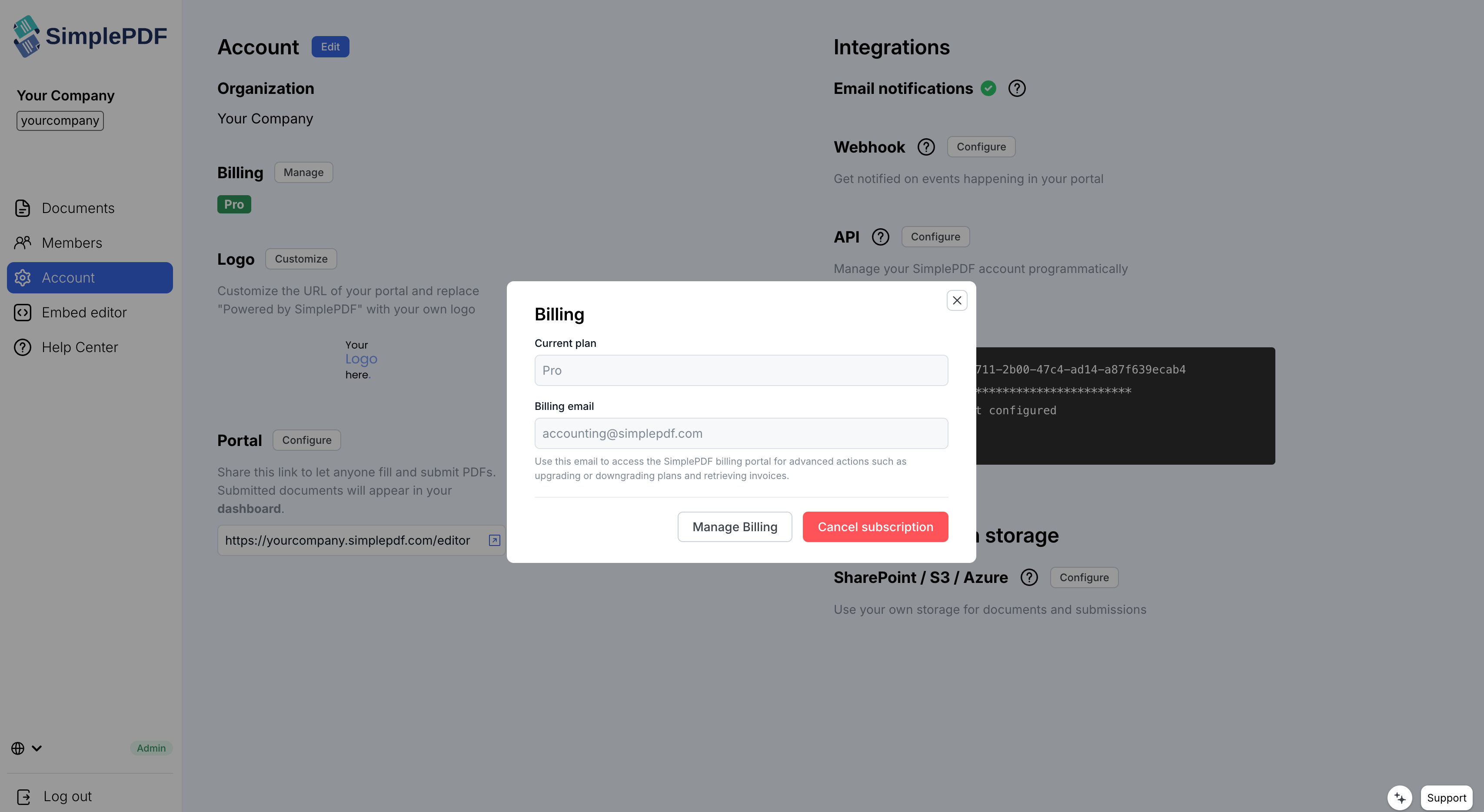
Your plan stays fully active until the end of the period you already paid for, and you are not charged again after that.
#Cancelling during your free trial
Every paid plan starts with a 7-day free trial, and cancelling during the trial means you are never charged. We also email you a reminder one day before the trial ends, so a forgotten trial never turns into a surprise charge.
#What happens after you cancel
Your account, documents, and submissions stay in place - you move back to the Free plan at the end of the billing period. If you upgrade again later, you pick up right where you left off.
#A "SimplePDF" charge you don't recognize?
Fraudulent merchants have been misusing the SimplePDF name on bank and card statements. Legitimate SimplePDF charges only ever come from a subscription started in your own account dashboard, and always match the amounts listed on our pricing page.
We never charge $1.95. Editing and downloading a PDF on simplepdf.com is free and never asks for a card. If the charge on your statement is $1.95, it is not from us: $1.95 is the 14-day trial price of PDFSimpli, an unrelated product with a similar name, and that trial converts into a recurring subscription unless cancelled.
If you see a charge you don't recognize - or the amount doesn't match your plan:
- Ask your bank for the actual merchant behind the charge - the name on a statement doesn't always match the company that placed it
- Dispute the charges you didn't authorize and ask your bank to block future ones
- Reach out to support@simplepdf.com and we'll help you get to the bottom of it
That's it! Your subscription is cancelled and you won't be charged again.
If you have any questions, feel free to reach out to support@simplepdf.com